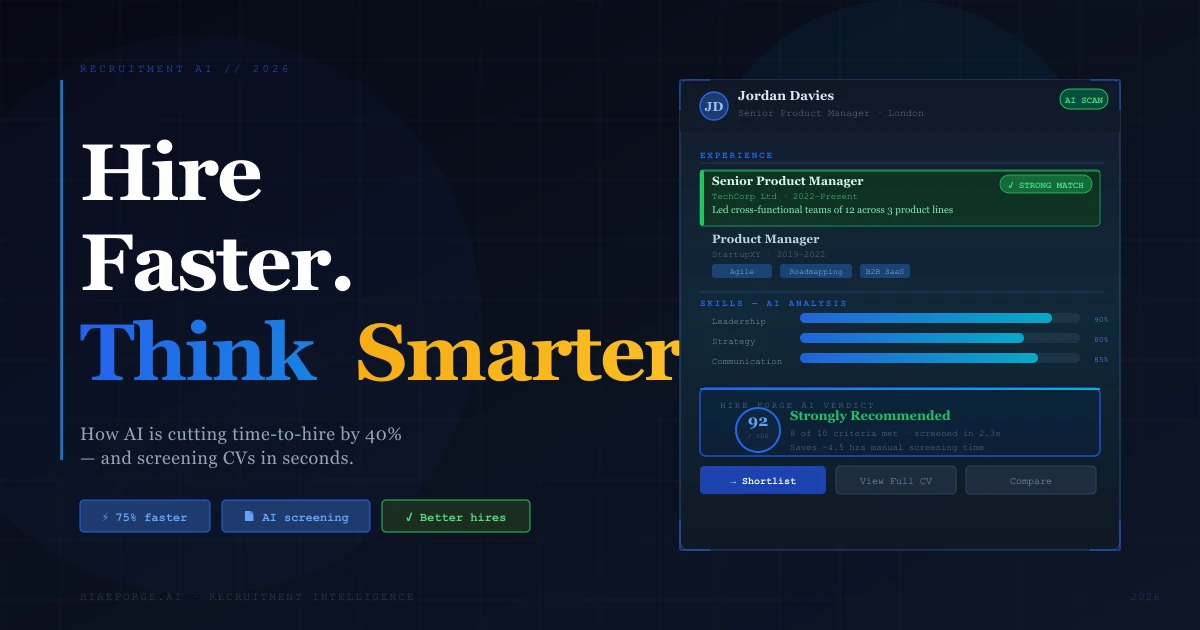
Talent professionals experimenting with or integrating generative AI report saving about 20% of their work week on average (LinkedIn, 2025). The useful question is not whether AI is “faster” in the abstract, but which recruiting step it shortens and whether candidate quality holds up.
Recruitment AI isn't theoretical anymore. The data is in, the adoption curve has steepened sharply, and the gap between teams using it and teams that aren't is widening by the quarter. What was an advantage in 2024 is becoming table stakes in 2026.
This is what's actually working, and what to do about it.
The core problem: Manual review scales linearly. At two minutes per CV, a first pass over 300 applications takes 10 recruiter hours before comparison, notes or candidate communication.
What the data shows: Talent professionals experimenting with or integrating generative AI report saving about 20% of their work week (LinkedIn, 2025). Separately, 89% of HR professionals whose organisations use AI in recruiting say it saves time or increases efficiency (SHRM, 2025).
The right approach: Use AI for screening velocity while keeping human judgement in the decision. Tools like Hire Forge AI screen hundreds of CVs in minutes, so recruiters spend time on candidates, not paperwork.
Why Does Manual CV Screening Cost So Much Time?
There is no useful universal “hours saved per hire” figure. Application volume, role complexity, review criteria and workflow design all change the answer. Start with arithmetic you can audit: 300 CVs at two minutes each is 10 hours for the first pass alone.
It's not one big task: it's dozens of small ones that accumulate. Opening applications, skimming CVs, cross-checking requirements, comparing candidates in short-term memory, logging notes in the ATS, repeating the same mental process hundreds of times. Before any interview is scheduled, the recruiter may already have spent hours deciding who deserves a conversation.
Where the time goes in manual screening:
- Initial triage: Opening, skimming, and sorting each application into keep/maybe/no
- Requirement checking: Verifying location, visa status, years of experience, qualifications
- Context-decoding: Interpreting non-standard CVs, career gaps, unusual title progressions
- Comparison work: Holding 10–15 candidates in working memory to rank them against each other
- Documentation: Logging decisions and notes into your ATS for audit and handover
Every step is repetitive, pattern-heavy, and data-extraction focused. Those are precisely the conditions where automated resume screening outperforms human reviewers, and where human judgment degrades fastest.
What decision fatigue data tells us: Research consistently shows that decision quality declines significantly after 20–30 complex evaluations in sequence. A recruiter reviewing CV 85 is not applying the same cognitive standard as they were at CV 5. AI applies identical criteria to every candidate; the 300th is evaluated exactly like the first.
The hidden cost of manual CV screening compounds across roles, teams, and hiring cycles in ways that rarely show up on a spreadsheet, but show up clearly in time-to-hire benchmarks and quality-of-shortlist data.
How Does Recruitment AI Change the Speed Equation?
For a 300-application role, a two-minute first pass takes 10 recruiter hours. An automated workflow is only faster in a useful sense if it reduces that measured review time without lowering shortlist quality. Record the baseline, time the new process and audit the resulting shortlist rather than borrowing a universal speed or accuracy percentage.
The mechanism is parallel processing. A recruiter reads one CV at a time, holding context in working memory. AI processes all 300 simultaneously, applying consistent criteria from the first application to the last, with no fatigue, no context collapse, and no arbitrary variation based on what time of day the reviewer reached that particular file.
What changes at each stage when AI handles screening:
| STAGE | Manual | AI-Assisted |
|---|---|---|
| 300 CVs triaged | 6–10 hours | Under 15 minutes |
| Shortlist of 20 ready | Day 2–3 | Same day |
| Criteria applied | Degrades after 30 CVs | Constant, CV 1–300 |
| Non-standard CVs | Often misread | Evaluated contextually |
| Audit trail | Manual notes | Automatic log |
The speed gain isn't just about hours saved. It's about what your team does with the time. LinkedIn's 2025 Future of Recruiting report found that among talent professionals actively integrating generative AI, 35% redirect the time saved directly to candidate screening quality, while 26% use it for deeper skills assessment. The tool doesn't eliminate the human work; it concentrates it where it actually matters (LinkedIn, 2025).
What gets missed in the speed conversation: AI doesn't just screen faster; it catches candidates manual screening overlooks. Non-linear career paths, functional CV formats, and non-standard job titles all parse poorly when a recruiter is moving at speed through a large pile. AI handles them with consistent attention regardless of format.
See how this applies specifically to high-volume roles.
AI-assisted screening delivers a reviewable shortlist in under 15 minutes. Manual screening takes days and degrades under volume.
What Recruitment Tasks Can AI Actually Automate?
According to SHRM's 2025 Talent Trends report, 43% of organisations now use AI for HR tasks (up from 26% in 2024), with recruiting the most common HR use case (SHRM, 2025). Not all AI recruitment tasks are equally mature, but the core screening stack is measurable and in wide use.
What AI handles well right now:
1. CV screening and ranking The most mature and highest-ROI use case. AI reads each application against your job spec, evaluates experience quality and role fit, and produces a ranked shortlist with reasoning. This is where recruitment automation delivers its clearest, fastest return.
2. Job description optimisation AI analyses job posts for language patterns that narrow your candidate pool unnecessarily, flags unrealistic stacked requirements, and suggests rewrites. Teams that use AI-assisted JD review typically see broader, more relevant applicant pools within one or two posting cycles.
3. Passive candidate sourcing AI-powered sourcing tools identify candidates from LinkedIn, GitHub, and professional databases who match role criteria, without manual Boolean string building. For senior and specialist roles, this saves 3–6 hours per vacancy in initial sourcing alone.
4. Scheduling and candidate communications Automated outreach, interview scheduling links, and application status updates reduce the administrative overhead that causes candidate experience to deteriorate during high-volume periods. Paradox's retail case studies show automated screening processes save store-level managers approximately 4 hours per week on hiring coordination (Paradox, 2024).
Where human judgement remains essential:
- Cultural fit and team dynamics assessment
- Interpreting ambiguous career narratives or non-standard paths that lack conventional signals
- Offer negotiation and candidate relationship management
- Final hiring decisions — always
The most effective teams treat AI as a force multiplier for human judgement. You still make the call. AI makes sure you're making it with better information, against a complete and consistently-ranked candidate pool, faster.
Run your first shortlist free
Upload the role and CVs. Hire Forge ranks the strongest candidates with clear reasoning, ready for your review.
5 CVs before signup. 100 more free. No card.
CV screening has the highest AI adoption and the clearest, fastest ROI of any recruitment task.
How Much Faster Can You Fill Roles With AI?
SHRM's 2026 recruiting benchmark reports a median 39 calendar days to fill nonexecutive positions (SHRM, 2026). That is a whole-process benchmark, not a promise about what screening software can remove.
Measure the interval from application received to decision-ready shortlist before and during a pilot. Then track whether interview-to-offer rate, candidate drop-off and quality indicators stay stable. Faster screening is useful only when the downstream hiring decision remains sound.
What we consistently observe: The biggest acceleration often doesn't come from screening speed alone. When recruiters trust the shortlist, knowing it's consistent, documented, and ranked against explicit criteria, they stop second-guessing and re-screening. That confidence is what actually compresses the time between "shortlist ready" and "interview scheduled."
For a more detailed breakdown of cutting time-to-hire with AI resume screening, see our dedicated analysis.
Pilot benchmark: Record median time-to-shortlist, interview-to-offer rate and candidate withdrawal rate for comparable roles before and after introducing AI. Do not infer a total time-to-hire reduction from screening speed alone.
Does Faster Screening Affect Quality of Hire?
Companies whose recruiters use AI-Assisted Messaging most are 9% more likely to make a quality hire than the lowest-use group (LinkedIn, 2025). This is an association from LinkedIn platform data, not proof that every AI tool causes the same lift.
LinkedIn defines this quality-of-hire measure using demand, retention and mobility signals. Use the result as a reason to measure quality alongside speed, not as a forecast that your next 50 hires will improve by 9%.
Why does quality hold up or improve with AI?
Consistency removes the arbitrary variation that degrades shortlist quality. When a recruiter manually screens 200 CVs, their evaluation standard drifts. A candidate at position 85 gets less careful consideration than one at position 5. AI evaluates every application against the same criteria; the last receives the same attention as the first.
Non-standard candidates get a fair read. Career changers, founders, and candidates with non-linear paths often fare poorly under keyword-based screening when recruiters are moving fast. Why AI CV sifting works for these profiles comes down to contextual evaluation: what someone actually did, not just what their job title says.
Shortlists come with reasoning. When AI ranks candidates and explains why, hiring managers understand and trust the recommendations faster. That transparency accelerates sign-off without reducing scrutiny.
The trust caveat is real and worth naming: only 26% of applicants currently trust AI to evaluate them fairly (Gartner, 2025). That's a candidate experience challenge that hiring teams need to address through clear communication, visible human oversight, and transparent process rather than by abandoning AI altogether.
For a comprehensive look at what actually works in AI for recruitment in 2026, the evidence consistently points to the same conclusion: speed and quality improve together when screening is handled by AI and decision-making stays with humans.
Screen for context, not just keywords
Hire Forge AI understands what careers actually represent—not just what parsers extract. See how contextual screening preserves signal instead of burying it.
5 CVs before signup. 100 more free. No card.
What Should You Look For in a Recruitment AI Tool?
For the broader operating model—not just the screening feature—read how AI is used across recruitment. The goal is to automate a defined bottleneck while keeping accountable judgement with the recruiter.
66% of organisations that adopted AI recruitment tools report measurable reductions in hiring costs, and 82% now use AI for resume screening, yet outcomes vary enormously depending on which type of tool is deployed (DemandSage, 2025). Not all recruitment AI delivers the same results. The market spans everything from basic ATS keyword-matching bolt-ons to purpose-built contextual screening intelligence, and choosing wrong means paying for a tool that doesn't solve the actual problem.
Here's what separates tools that genuinely accelerate hiring from ones that create the illusion of automation while leaving the hard work unchanged.
1. Contextual screening, not keyword matching
Keyword-based tools look for "Project Manager" and miss "Delivery Lead" doing identical work. Contextual AI reads the substance of a CV (responsibilities, outcomes, career progression), not just surface terms. The distinction matters most for the candidates you most want: senior hires, career-changers, and specialists whose experience doesn't map neatly onto standard job titles. Ask any vendor to show you how they handle a non-linear career path. The answer tells you everything about how their screening actually works.
Build those requirements from demonstrated capability rather than pedigree using the skills-based hiring criteria guide, and improve the input with a job description focused on real outcomes.
2. Explainable rankings
A score without reasoning isn't useful: it's a black box that erodes recruiter confidence and creates compliance risk. Good AI recruitment tools show you what criteria were matched, where gaps exist, and what drove the ranking. This also matters practically: understanding the difference between resume parsing and AI screening is essential context for evaluating what any tool is actually doing under the hood.
3. Integration with your existing ATS — not a replacement for it
The best tools layer over your current ATS rather than requiring a rip-and-replace. Your ATS handles pipeline management, job posting, and workflow. Recruitment AI handles the intelligence layer upstream, screening candidates before they hit your ranking algorithm and surfacing the ones worth reviewing before they get buried. If a vendor insists you need their end-to-end platform, that's worth interrogating carefully. The best AI recruitment software tends to solve a specific problem well, not try to own the entire workflow.
4. Measurable time-to-shortlist benchmarks
Ask vendors for case studies from organisations with similar hiring volumes to yours. A tool that screens 50 applications efficiently may behave very differently at 500. The economics of AI screening only work at your actual scale, and the benchmark that matters is time-to-shortlist at your volume, not average time-to-hire across all their customers.
What we see at comparable scales: Teams using Hire Forge AI consistently report shortlists ready within minutes of applications closing — against 2–3 days with manual review. For a team running 15+ simultaneous active roles, that's the difference between a manageable process and a bottleneck that delays every hire. The screening criteria are set once per role, applied consistently across every application, and produce a documented, auditable ranking that hiring managers can review and act on immediately.
Hire Forge AI is built specifically for this gap: contextual CV screening that evaluates career trajectory and role fit (not just keyword coverage) and integrates with your existing ATS without disrupting it. See how it works and how it compares.
The Bottom Line
Speed in recruitment isn't about cutting corners. It's about removing the bottleneck that has nothing to do with judgement: the repetitive, pattern-heavy extraction work that stands between applications arriving and real evaluation beginning.
Manual CV screening is that bottleneck. It's slow, it degrades under volume, and it systematically misses candidates whose CVs don't conform to format expectations. 86.1% of recruiters say AI makes the hiring process faster (Statista, 2025). The data isn't the debate anymore.
The teams winning on talent in 2026 aren't the ones with the most recruiters. They're the ones whose recruiters spend their time on work that actually requires human intelligence, while AI handles the rest.
Compare Hire Forge with your own CVs
Run a real role through Hire Forge and review the ranked shortlist before deciding whether it fits your process.
5 CVs before signup. 100 more free. No card.
Frequently Asked Questions
What is recruitment AI and how does it work?
Recruitment AI uses machine learning to read, rank, and assess job applications automatically. It evaluates each CV against your job specification, assessing experience quality, career trajectory, skill alignment, and role fit, and returns a ranked shortlist with reasoning. Unlike keyword matching, contextual AI understands career intent and non-standard paths. Learn more about what recruitment automation actually covers.
How much time does AI save in recruiting?
There is no universal per-hire saving. LinkedIn's 2025 Future of Recruiting data shows talent professionals experimenting with or integrating generative AI report saving about 20% of their work week on average. Measure your own time-to-shortlist before and during a pilot because application volume and workflow design determine the result.
Does AI recruitment screening introduce bias?
Poorly designed AI (particularly keyword-matching systems) can perpetuate bias by favouring CVs formatted for specific institutions or industries. Contextual AI reduces this risk by evaluating substance over format. However, only 26% of applicants currently trust AI to evaluate them fairly (Gartner, 2025), so transparency, visible human oversight, and explainable rankings are essential. EEOC guidance is clear that employers remain accountable for automated screening decisions regardless of which system made them.
Can AI recruitment tools integrate with my existing ATS?
Yes. Purpose-built recruitment AI integrates via API with major ATS platforms including Workday, Greenhouse, Lever, iCIMS, and SAP SuccessFactors. They operate as a screening intelligence layer upstream of your existing system, improving candidate ranking before applications hit your pipeline. You don't need to replace your ATS to get the benefit. See how ATS parsing differs from AI screening.
What's the difference between ATS screening and AI recruitment screening?
ATS screening applies rule-based filters to parsed resume data: it matches keywords and checks boxes. AI recruitment screening reads the substance of a CV: what the candidate actually did, how their career progressed, whether their experience matches the role's real requirements. The gap is most consequential for non-standard candidates; those with the highest potential are often the ones traditional ATS screening misses first.
Sources
- LinkedIn, 2025: Future of Recruiting 2025 (37% of organisations are experimenting with or actively integrating generative AI; those talent professionals report saving about 20% of their work week; highest users of AI-Assisted Messaging are 9% more likely to make a quality hire than the lowest-use group). View source
- SHRM, 2025: Talent Trends Report — AI in HR (AI adoption in HR rose to 43% from 26%; 89% of HR professionals using AI in recruiting report time savings or increased efficiency). View source
- SHRM, 2026: Recruiting Executives Benchmarking (median nonexecutive time-to-fill of 39 calendar days). View source
- Statista, 2025: (86.1% of recruiters say AI makes hiring faster). View source
- Gartner, 2025: survey of 2,918 job candidates; 26% trusted AI to evaluate them fairly. View source
- Paradox, 2024: Retail AI Hiring Case Studies (4 hours/week saved per manager on hiring coordination). View source
- EEOC, 2021: Initiative on AI and Algorithmic Fairness (employer accountability for automated hiring decisions). View source
All statistics were verified against primary sources at time of publication. For our editorial standards, see the About page.
Keep exploring
Related guides
AI for Recruitment: What Works in 2026
AI was meant to make recruitment faster and fairer. In practice, many recruiters feel it has done the opposite. Here's what actually works in 2026.
Recruitment Automation: Tools, Benefits and Examples (2026)
A practical 2026 guide to recruitment automation: what to automate, which tools to use, where human judgement still matters, and how to measure the result.
Skills-Based Hiring in 2026: AI Screening Guide for SMBs
Build a skills-based hiring process for SMBs: define evidence-based criteria, screen consistently, validate ability and avoid weak proxies.
About the author
Ben Lovis·Founder, Hire Forge AIA professional recruiter who built and deployed AI-powered screening systems internally before founding Hire Forge AI. He now designs AI recruitment systems for hiring teams worldwide.
Run your first shortlist free
Try five CVs without an account, then sign up for 100 more during your seven-day free trial. No credit card is required.
Start free5 CVs before signup. 100 more free. No card.